How to Structure Your Notion Habit Tracker Database for the Best Analytics
Updated: April 4, 2026
NotionStats can generate habit analytics like completion rate, current/longest streaks, and weekday completion patterns — as long as your habit tracker database has the right columns.
If you want to skip setup, you can duplicate my ready-to-use Notion Habit Tracker template and customize it.
Database Schema (Copy This) #
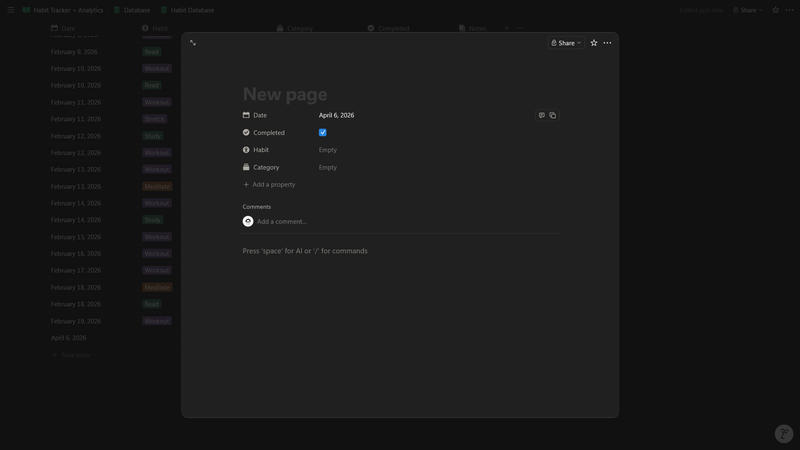
Create one Notion database named Habit Database and add these properties.
- Required
- Name: Title (optional, but nice for readability)
- Date: Date (when the habit was logged)
- Completed: Checkbox (completed or not)
- Recommended (for richer charts + filtering)
- Habit: Select (e.g., “Workout”, “Read”, “Meditate”)
- Category: Select (e.g., Health, Learning, Mindset)
Data Entry Rules That Keep Analytics Accurate #
- Log consistently on the correct date
- Most habit analytics bucket by day; missing/incorrect dates can break streaks.
- Avoid duplicate habit names
- Use Select options rather than text so “Read” and “Reading” don’t become separate habits.
- Be intentional about “strict” vs “flexible”
- Some habit charts treat missing days as missed (strict), while others only consider days you logged (flexible).
- This is configured in NotionStats, but it depends on your data being date-driven.
If you’re new to NotionStats setup, start here: Guide to adding analytics to your Notion.
Troubleshooting / FAQ #
My streak is always 0 #
Common causes:
- You’re missing Date values.
- Your Done checkbox is never checked.
- Your most recent completion is more than a day old (current streak resets).
Completion rate looks too low #
If you’re using a strict mode chart, missing days between your first and last log can count as misses. Log daily (even if “Done” is unchecked) if you want strict analytics to reflect intention.